
Using the Report Viewer
The Report Viewer allows you to view and navigate reports and is accessed by opening a report in K2.
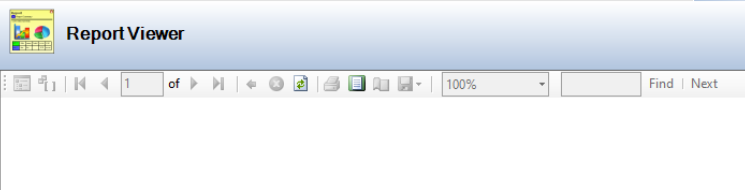
The buttons on the Report Viewer screen are described in the following table:
This button… | Does this... |
|---|---|
Show or Hide Document Map | Enables or disables the document map. |
Show or Hide Parameter Area | Enables or disables the parameter area. |
First Page | Displays the first page of the report. |
Previous Page | Displays the previous page of the report. |
Next Page | Displays the next page of the report. |
Last Page | Displays the last page of the report. |
Back to Parent Report | Displays the parent report. |
Clear filter | Clears the filter. |
Stop Rendering | Stops rendering the report. |
Refresh | Refreshes the contents of the report. |
Prints the report. | |
Print Layout | Displays the print layout. |
Page Setup | Displays the parameters of the displayed page. |
Export | Exports the report. |
Scale | Adjusts the scale of the report. |
Find | Find within the report. |
Next | Go to the next occurrence of the searched word. |