
The Maintenance History shows all Service Request Maintenance and PPM (planned preventative maintenance) Active Tasks, Jobs, Orders, Invoices (Accounts Payable) and Credit Notes, Maintenance Contracts, Projects and Project Contracts linked to the locations, Assets/Asset Systems, Components/Composites or Trees that you have permission to view.

It can be accessed from the Associated Items panel of an entity with linked requests.
The Maintenance History screen shows the following:
Maintenance tab
The Maintenance tab displays linked Service Request Maintenance and PPM (Planned Preventative Maintenance) Active Tasks to the current entity.
When open from a Business Unit, all requests linked to child records from related Sites, Zones, Buildings, Floors and Rooms are displayed.

When opened, the current Financial Year is selected and all requests for the period are displayed. The year can be changed via the drop down.
Jobs tab
The Jobs tab displays linked jobs to the current entity.

When opened, the current Financial Year is selected and all jobs for the period are displayed. The year can be changed via the drop down.
Orders, Invoices and Credit Notes tab
The Orders, Invoices (Accounts Payable) and Credit Notes tab displays linked orders, invoices (accounts payable) and credit notes to the current entity.
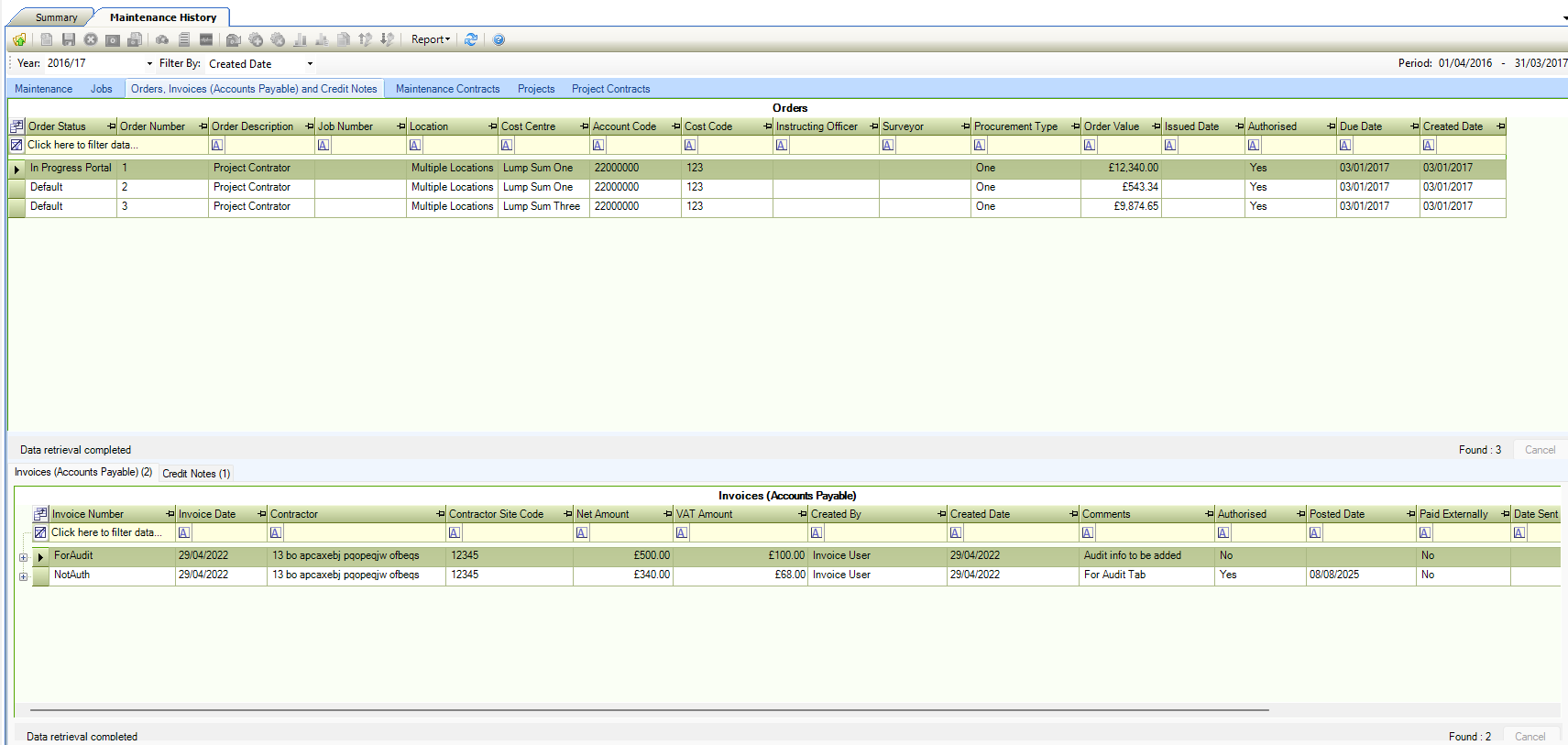
When opened the current Financial Year is selected and all Orders, Invoices and Credit Notes for the period are displayed. The year can be changed via the drop down.
There is also a Filter By drop-down which allows you to select ‘Created Date’ or ‘Due Date’ for the orders you wish to display.
The Invoices (Accounts Payable) tab displays all invoices linked to the selected order in the grid above.
The Credit Notes tab displays all credit notes linked to the selected order.
Maintenance Contracts tab
The Maintenance Contracts tab displays linked maintenance contracts to the current entity provided the user has access to it’s Maintenance Contract role.

When opened, the current Financial Year is selected and all maintenance contracts for the period are displayed. The year can be changed via the drop-down.
This tab will not be displayed when opened against a Tree.
Projects tab
The Projects tab displays projects connected to the selected item, either directly as a Project Item or linked through a Programme.
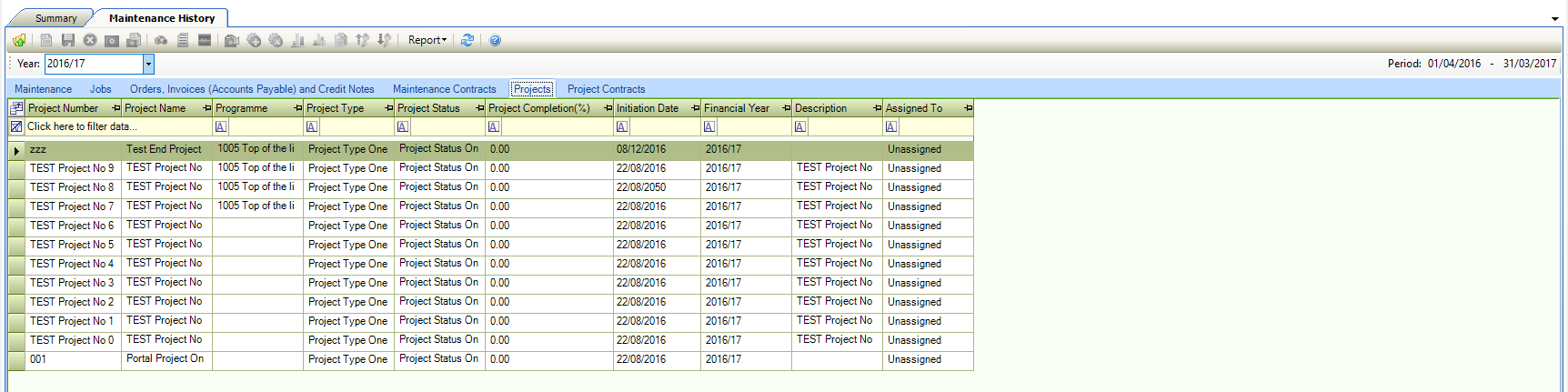
When opened the current Financial Year is selected and all projects for the period are displayed. The year can be changed via the drop-down.
This tab is only displayed when the system option "Use Contract Items or Project Items" is set to "Project Items". It will not be displayed when opened against a Tree.
Project Contracts tab
The Project Contracts tab displays project contracts linked to the selected item through either Project or Contract Items on the related Project, depending on the "Use Contract Items or Project Items" system option.
This option is accessed by navigating to Tools > System Options > System Options > Maintenance
This system option can only be updated by technical support. Once it is set and items exist, it should not be changed.

When opened the current Financial Year is selected and all project contracts for the period are displayed. The year can be changed via the drop-down.
This tab will not be displayed when opened against a Tree.