
There are seven different roles type to control different aspects of the functionality in K2. System, Notification and Alternative Credential roles cannot be created. Of these role types only Alternative Credential can be edited, see section below for details.
Further details for each role type:
|
Role Type… |
Description… |
|---|---|
|
System Role |
When assigned system roles allows the user to perform specific system functions, such as Project Authorise Own Budget, which cannot be provided via Permission roles. The functions provided by these roles are locked down and cannot be changed. |
|
Alternative Credentials |
When assigned this role allows the user to access Reports and Workflow Manager via predefined credentials, see ‘Editing an Alternative Credential Role’ for further details. |
|
Permission |
When assigned this role allows the user access to features in K2, based on View, Edit and Full permission levels. i.e. Business Unit role as View would allow the user read only access to the business units assigned to them. |
|
Notification |
When assigned this role allows the user to receive notifications in the Notification Panel related to the role assigned. |
|
Report |
When assigned this role allows the user access to custom reports linked to the role. |
|
Maintenance Contract |
When assigned this role allows the user to access only Maintenance Contract(s) which are linked to it. |
|
Authorisation |
When assigned this role allows the user authorisation of funds against records as defined in the Authorisation Matrix, as well as Order and Invoice limits. |
Roles can be managed by navigating to Tools > Admin > User/Role Security.
Security Overview
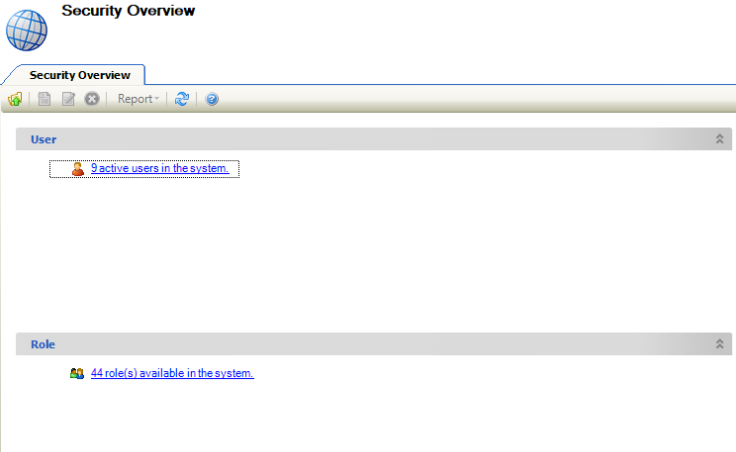
The Security Overview screen is displayed, which tells you the number of active users and roles available in the system.
Viewing an Existing Role Record
-
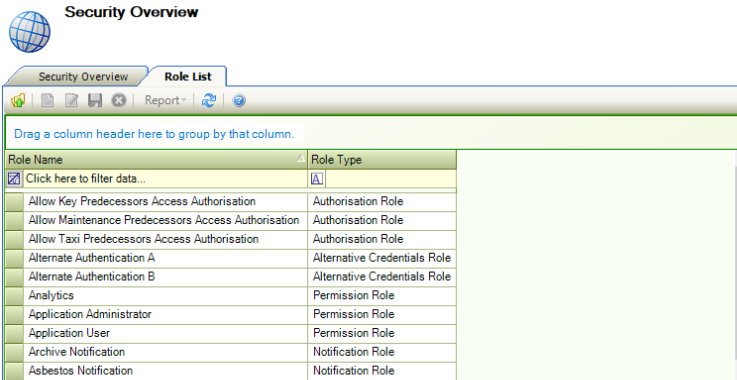
Click the Role(s) available in the system link.

The Role List screen is displayed.
-
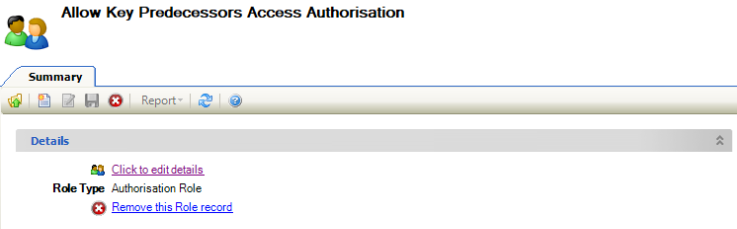
Double-click the relevant role.
The Summary screen is displayed.
-
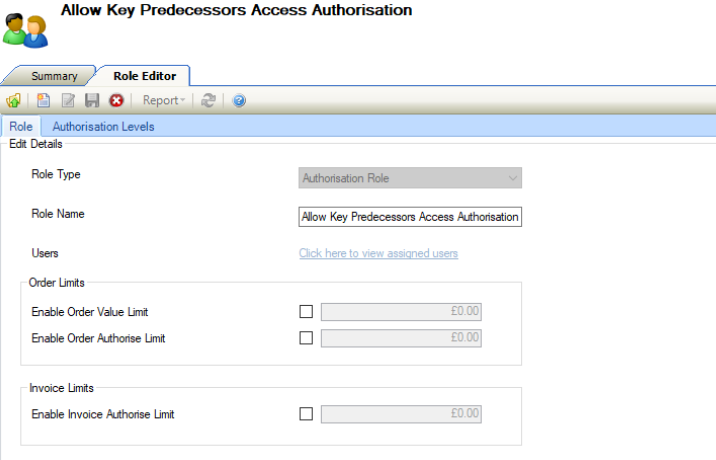
Click the Click to edit details link.
The Role Editor is displayed.
Assigning a Role to a User
A user can be assigned to multiple roles, even if roles have conflicting permissions. The permission assigned to the user will be ‘higher’ permission (that is: Full overrules Edit, Edit overrules View and View overrules an unassigned permission).
To assign a role to the user:
-
Open the relevant role. Refer to View an Existing Role Record for further information.
-
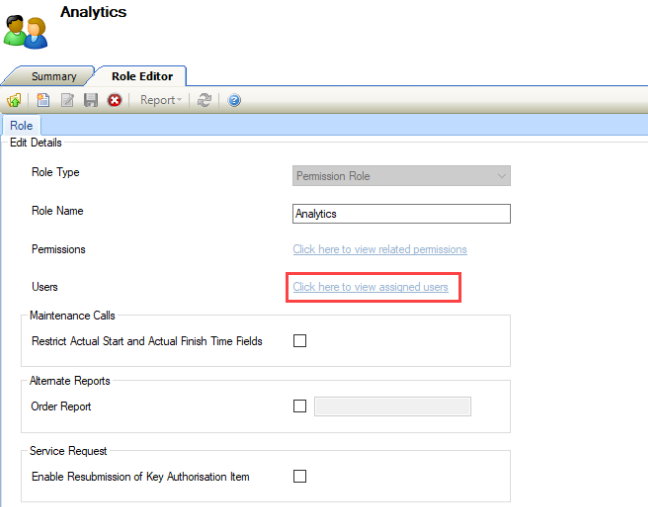
Click on the Click here to view assigned users link in the Role Editor.
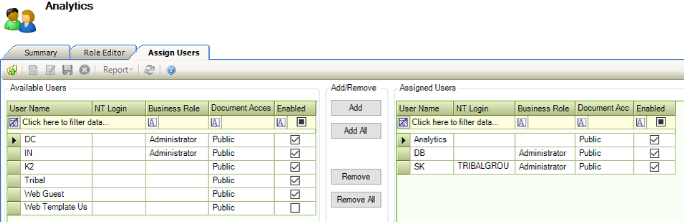
The Assign Users screen is displayed. The left-hand panel displays all of the users that can be assigned, and the right-hand panel displays the users that the role has been assigned to.
-
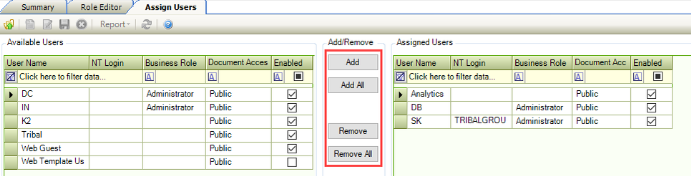
Select the user and use the Add, Add All, Remove, and Remove All buttons to assign the users to the role.
-
Click Save.
Adding or Editing a Permission Role
To add or edit a permission role:
Do one of the following:
-
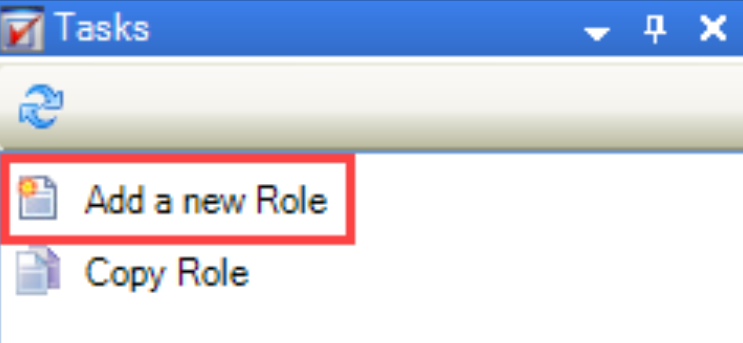
Click the Add a new Role option in the Tasks panel.
-
Open an existing record to edit its details.
-
Open an existing record, and then click the Copy Role option in the Tasks panel to create a duplicate record.
The Role Editor is displayed.
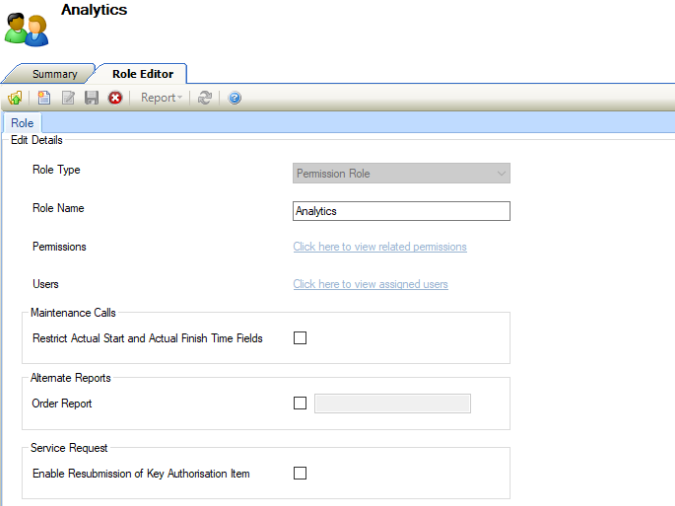
-
Select 'Permission Role' from the Role Type drop-down list.
This field cannot be edited on saving.
-
Enter the remaining details.
The remaining fields on the Role Editor are described in the following table:
|
This field… |
Holds this information... |
|---|---|
|
Role Name |
The name of the role. |
|
Permissions |
The permissions that have been assigned to the role. This is only enabled after the record has been saved. Refer to Permission Definitions for further information. |
|
Users |
The users that the role has been assigned to. This is only enabled after the record has been saved. Refer to Assign a role to a user for further information. |
|
Restrict Actual Start and Actual Finish Time Fields |
Whether the user can edit or update the actual start time or active finish times fields of a maintenance service request. |
|
Order Report |
Whether to allow the user to run a different order report. When this check box is selected and a report is entered, the specified order report will run rather than the system default order report. |
|
Enable Resubmission of Key Authorisation Item |
Whether the user can access the Resubmit button in the Key Detail section of a Service Request. |
-
Click Save.
Assigning Permissions to a Permissions Role
To assign permissions to a permissions role:
-
Open the relevant permission role. Refer to View an existing role record for further information.
-
Click the Click here to view related permissions link in the Role Editor.
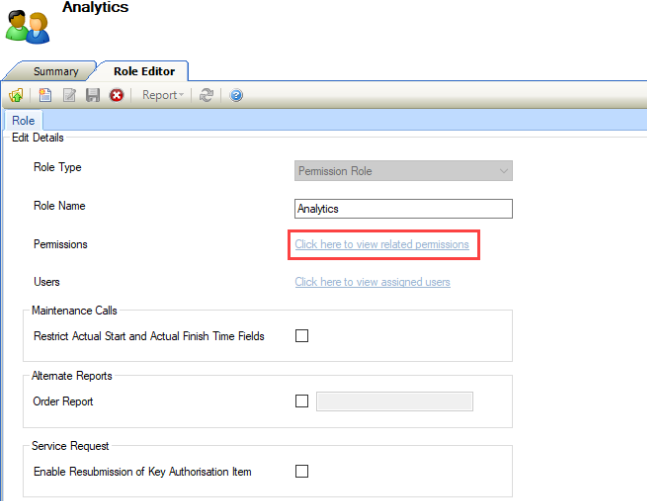
The Assign Permissions screen is displayed. The left-hand panel displays all of the permissions that can be assigned, and the right-hand panel displays the permissions that have been assigned to the role.
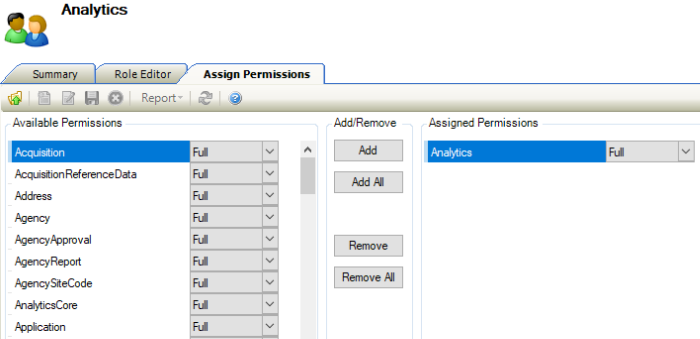
Refer to Permission Definitions for further information.
-
Select the permission and use the Add, Add All, Remove, and Remove All buttons to assign the permissions to the role.
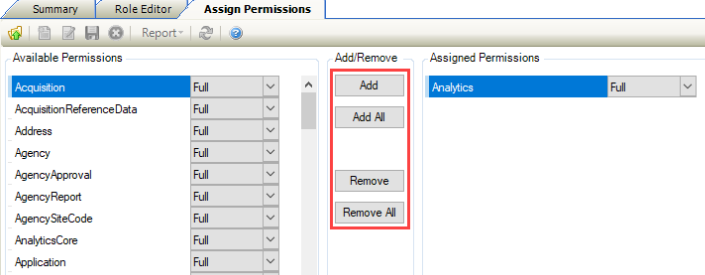
You can select multiple records using Shift-click (for a series of records), Ctrl-click (for individual records), or Ctrl-A (for all records).
For each permission, select whether the permission should be full, edit only, or view only from the respective drop-down lists.
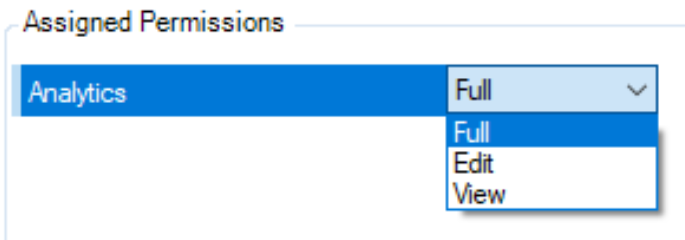
Full - allows users to archive and delete.
Edit - does not allow users to archive and delete.
View - allows users to view screens as Read only.
There are certain permissions were Full and Edit have the same functionality. These are predominately areas where the user is unable to archive or delete.
-
Click Save.
Adding or Editing a Report Role
To add or edit a report role:
Do one of the following:
-
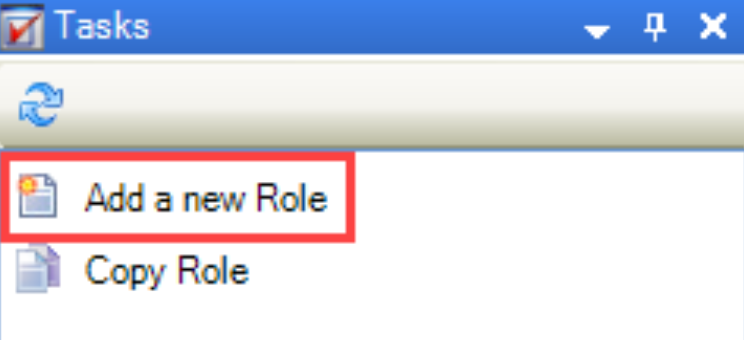
Click the Add a new Role option in the Tasks panel.
-
Open an existing record, to edit its details.
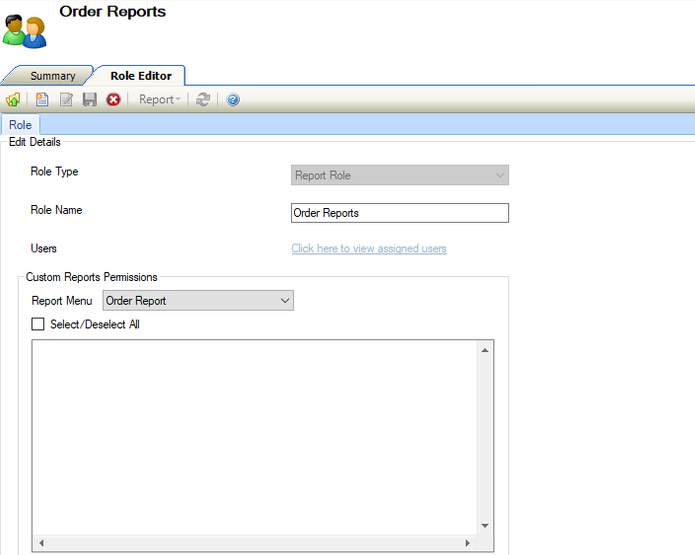
The Role Editor is displayed.
-
Select 'Report Role' from the Role Type drop-down list.
This field cannot be edited on saving.
The remaining fields on the Role Editor are described in the following table:
|
This field… |
Holds this information... |
|---|---|
|
Role Name |
The name of the role. |
|
Users |
The users that the role has been assigned to. This is only enabled after the record has been saved. Refer to Assign a role to a user for further information. |
-
Select from the Report Menu drop-down to display the list of report types that you can allow access to.
-
Select the relevant reports. Alternatively, click the Select/Deselect All check box as appropriate.
-
Click Save.
Adding or Editing a Maintenance Contract Role
To add or edit a maintenance contract role:
Do one of the following:
-
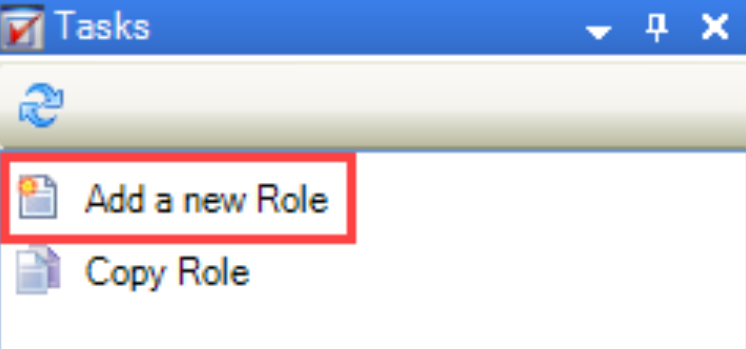
Click the Add a new Role option in the Tasks panel.
-
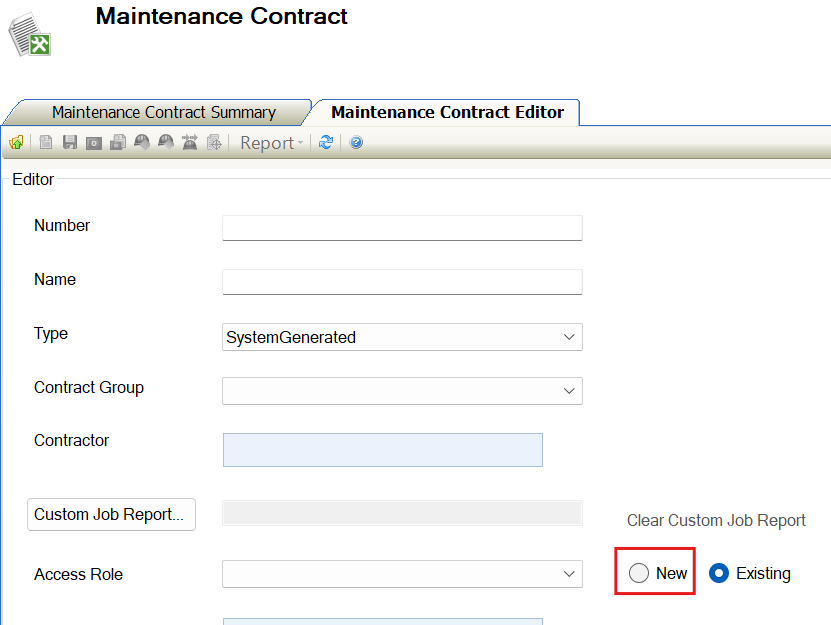
Click New on Maintenance Contract Editor when creating the contract.
-
Open an existing record to edit its details.
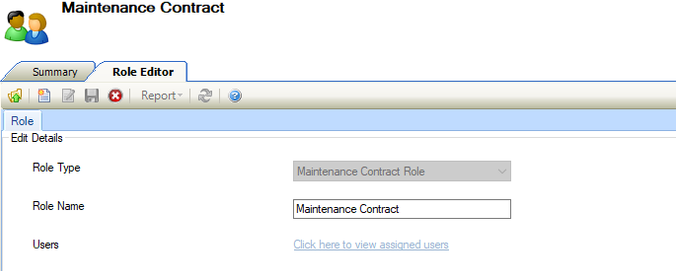
The Role Editor is displayed.
-
Select 'Maintenance Contract Role' from the Role Type drop-down list.
This field cannot be edited on saving.
-
Enter the remaining details.
The remaining fields on the Role Editor are described in the following table:
-
Click Save.
Adding or Editing an Authorisation Role
To add or edit an authorisation role:
Do one of the following:
-
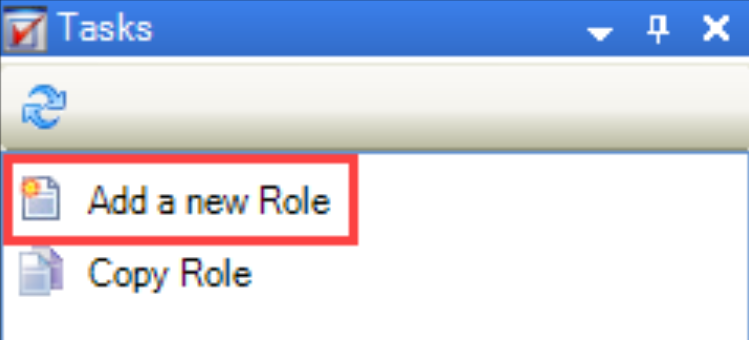
Click the Add a new Role option in the Tasks panel.
-
Open an existing record, to edit its details.
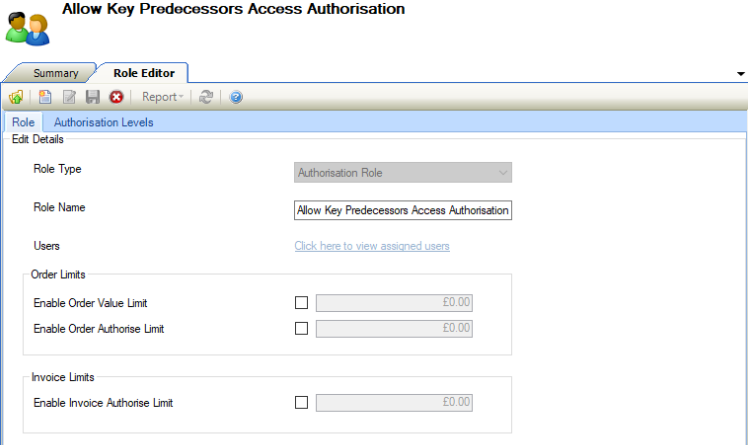
The Role Editor is displayed.
-
Select 'Authorisation Role' from the Role Type drop-down list.
This field cannot be edited on saving.
-
Enter the remaining details.
The remaining fields on the Role Editor are described in the following table:
|
This field… |
Holds this information... |
|---|---|
|
Role Name |
The name of the role. |
|
Users |
The users that the role has been assigned to. This is only enabled after the record has been saved. Refer to Assign a role to a user for further information. |
|
Enable Order Value Limit |
If not ticked users can create Orders to any value. If ticked, you must specify a value, users cannot create Orders above the specified value. |
|
Enable Order Authorise Limit |
If not ticked users can authorise Orders to any value. If ticked, you must specify a value, users cannot authorise Orders above the specified value. |
|
Enable Invoice Authorise Limit |
If not ticked users can authorise Invoices to any value. If ticked, you must specify a value, users cannot authorise Invoices above the specified value. |
-
Click the Authorisation Levels tab.
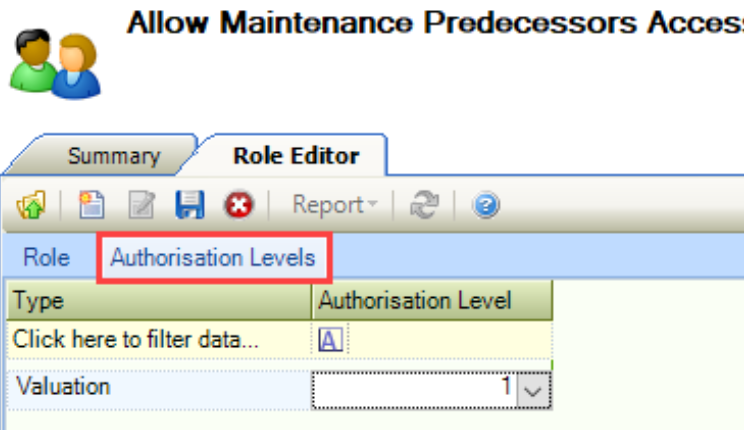
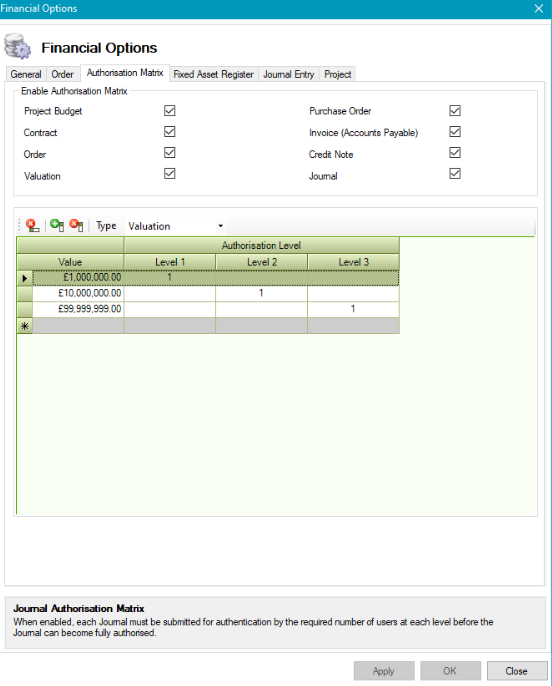
This lists all of the enabled authorisation matrix types with values defined on the Authorisation Matrix tab in Financial Options (accessed by navigating to Tools > System Options and clicking Financial Options).
-
Select the authorisation levels for each type from the relevant drop-downs.
-
Click Save.
Editing an Alternative Credential Role
To edit an alternative credential role:
-
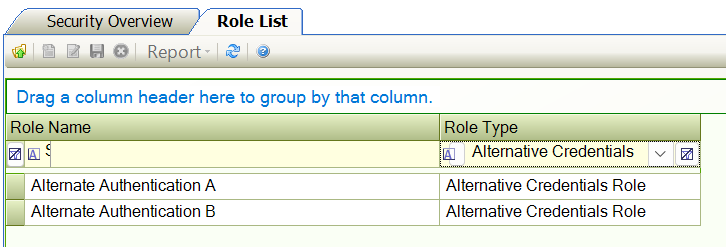
Open one of the two alternative credential role to edit its details.
-
Click the link ‘Click to edit detail’.
-
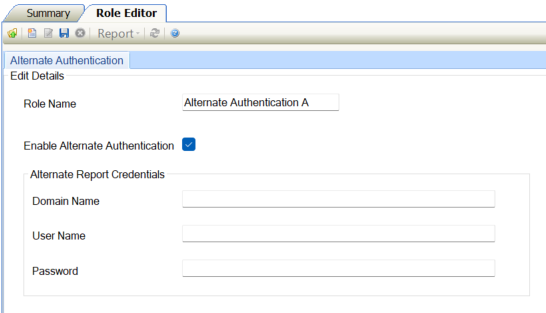
Click Enable Alternate Authentication check box.
-
Enter the details required to access either a report server or workflow manager.
The fields in the Alternative Authentication Editor are described in the table below:
|
Field… |
Description… |
|---|---|
|
Domain Name |
The name of the domain to be used for the credentials being used. |
|
User Name |
The user name for the credentials to be used. |
|
Password |
The password for the credentials to be used. |
-
Click Save.
Related Topics
Click the links below to navigate to the following related topics: