
Tree Management is an intrinsic part of Facility and Asset management. Although rare, fatalities and serious injury do occur from falling trees. It is therefore important that a tree management system is in place. The K2 Tree Management module is used to keep a register of all trees that reside on land in the portfolio. Each tree can then be actively managed in terms of scheduled PPM tasks, condition assessments, and service request maintenance request.
A tree record is typically created for each tree on site. If there are groups of trees of a similar species and condition, a record can be created for a group. Trees must be recorded against a physical location such as a site or zone.
Adding or Editing a Tree Record
To add or edit a tree record, do one of the following:
-
Navigate to Functions > Tree Management > New Tree to add a new record.
-
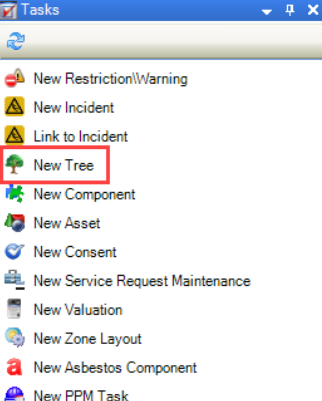
Click the New Tree option in the Tasks panel of a site or zone record to record a tree against that record.
-
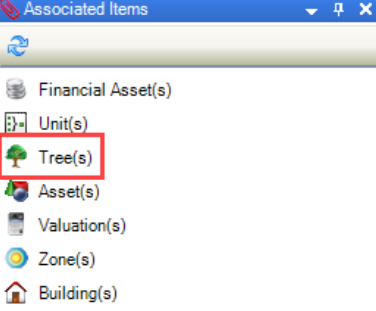
Click the Tree(s) option in the Associated Items panel of a site or zone record, and then double-click an existing record to open it.
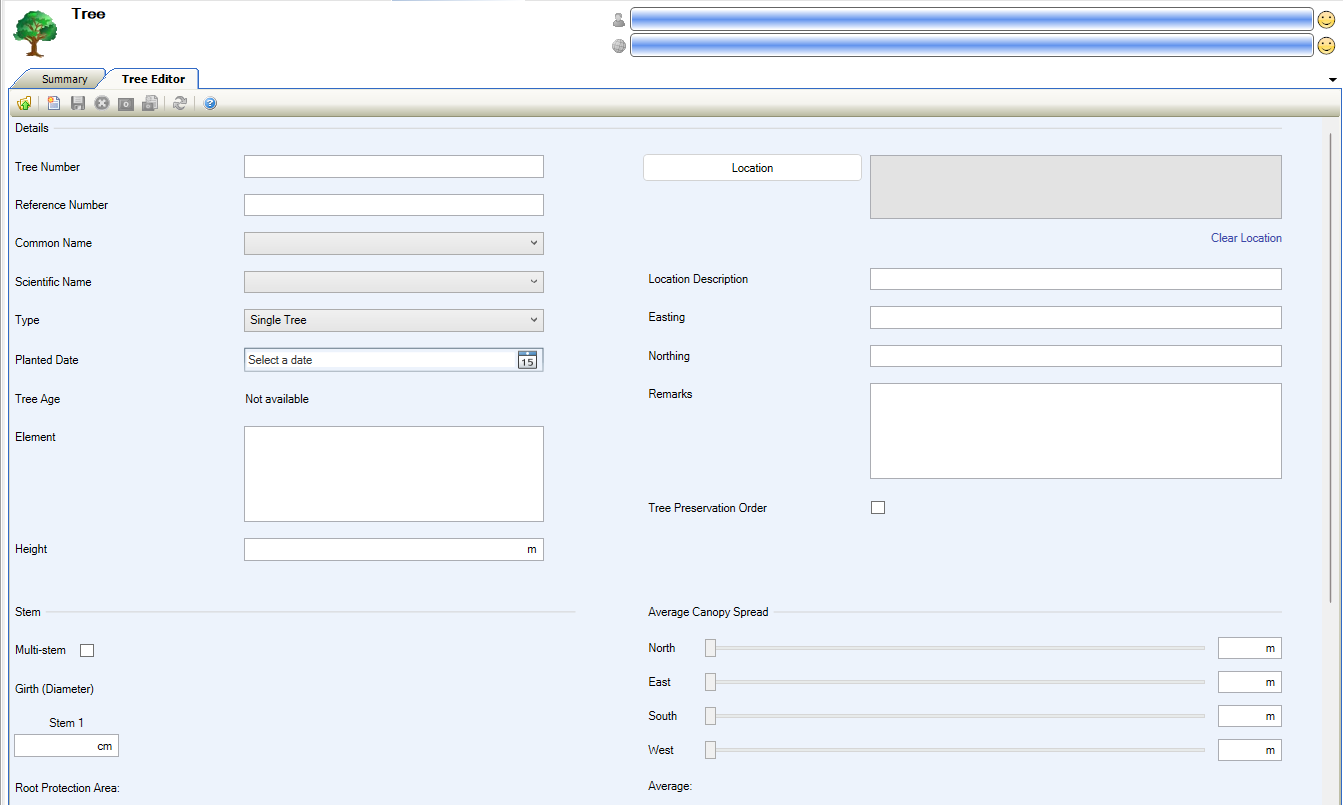
The Tree Editor is displayed.
-
Enter or edit the relevant details.
The fields on the Tree Editor are described in the following table:
|
This field… |
Holds this information... |
|---|---|
|
Tree Number |
The tree number. |
|
Reference Number |
The reference number for the tree. |
|
Common Name |
The common name for the tree. This automatically populates the Scientific Name field. This field is mandatory. These can be defined in Tree Species Reference Data (accessed by navigating to Functions > Tree Management > Tree). |
|
Scientific Name |
The scientific name for the tree. This automatically populates the Common Name field. This field is mandatory. These can be defined in Tree Species Reference Data (accessed by navigating to Functions > Tree Management > Tree). |
|
Type |
Whether it is a single tree, a group of trees or a hedge. Group and Hedge are not available at the moment. |
|
Planted Date |
The date the tree was planted if known. |
|
Tree Age |
The age of the tree. This is calculated automatically based on the Planted Date field. The Tree Age is only displayed when the Planted Date is present. It should show years and months or Not Available. |
|
Element |
The related element. This is populated automatically based on the selected tree species, provided it has been defined in Tree Species Reference Data (accessed by navigating to Functions > Tree Management > Tree). |
|
Height |
The height of the tree. |
|
Multi-stem |
Whether the tree has multiple trunks. Up to 5 stems can be selected. This is only displayed if 'Single Tree' is selected in the Type field. |
|
Girth |
The girth of each tree stem (diameter). This is only displayed if 'Single Tree' is selected in the Type field. |
|
Root Protection Area |
Calculated automatically from the Stem girths entered. British Standard 5837 - Nationwide Tree Survey calculations are used. |
|
Location |
The location of the tree.
|
|
Location Description |
A more specific description of the location of the tree. |
|
Easting |
The geographical easting of the tree. |
|
Northing |
The geographical northing of the tree. |
|
Tree Preservation Order |
Whether there is a Tree Preservation Order on the tree. |
|
Remarks |
Any comments on the tree. |
|
Average Canopy Spread |
The width of the crown of the tree. North, East, South and West measurements can be selected either via the sliders or manually input. |
|
Average |
Calculated automatically when all cardinal point measurements are entered. British Standard 5837 - Nationwide Tree Survey calculations are used. |
-
Click Save.
Use K2 to: