
From the 1930s to the 1990s, asbestos became increasingly popular among manufacturers and builders because of its resistance to heat, electrical and chemical damage, sound absorption, and tensile strength.
However, several serious health risks have been directly linked to the presence of asbestos in buildings and for this reason, government legislation has been passed to ensure that all asbestos-containing materials (ACM) are identified and monitored in all non-residential properties and places of work.
The information gathered from the asbestos assessment must be kept in an asbestos register as a legal requirement imposed on the person responsible for the maintenance and daily running of the building in question.
In the UK as specified within Health and Safety Executive (HSE) guidance on asbestos surveys (HSG 264), this assessment will be used to produce a management plan which details and records the actions to be undertaken to manage and reduce the risks from asbestos.
Administrators can Configure Asbestos Records in K2.
Use K2 Portal to:
Opening an Asbestos Record
To open an Asbestos record:
-
Open the relevant record (for example Business Units, Sites, Buildings, Rooms, Jobs or Orders).
-
Click the Asbestos button in the right-hand panel.
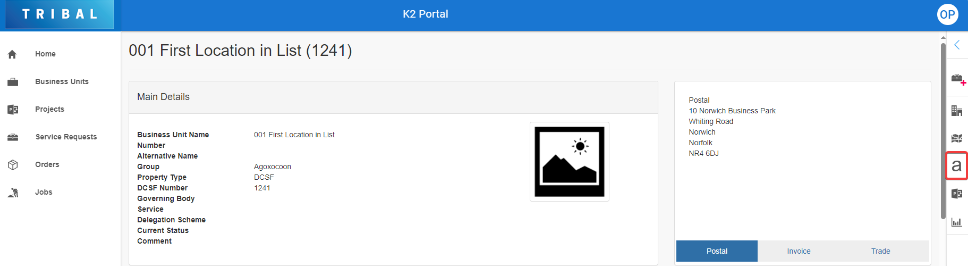
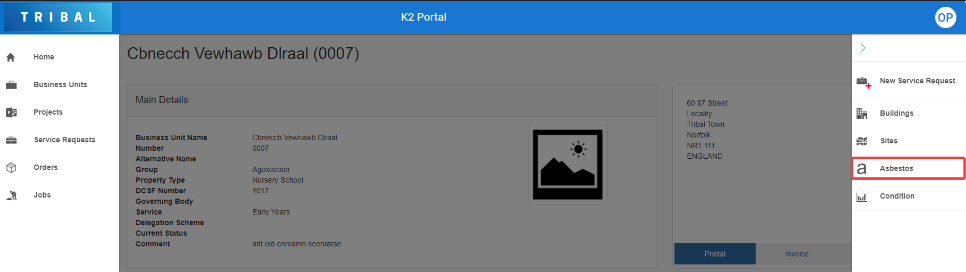
Or
-
Click the Asbestos button at the bottom of the record.
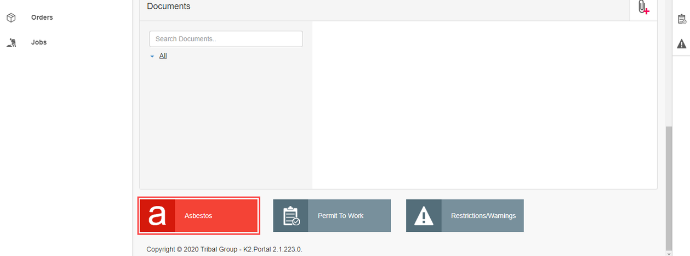
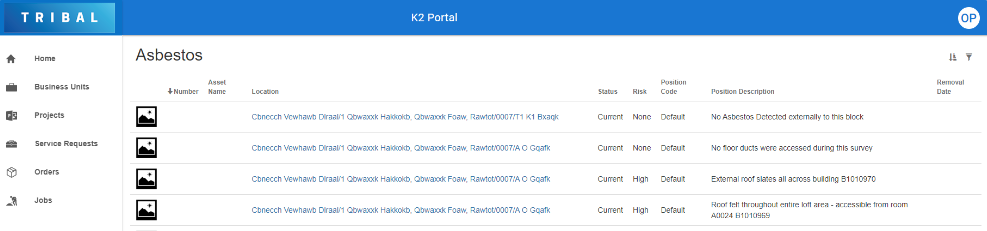
The Asbestos screen is displayed.
-
Locate and click the relevant asbestos record (ensuring not to click the Location link). If required, use the sort and filter options in the top right-hand corner of the screen to sort or narrow the results.
The asbestos details screen is displayed.
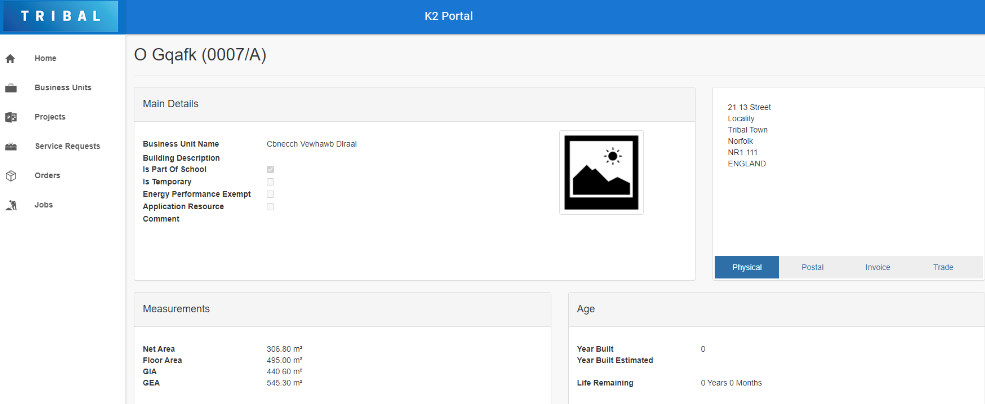
View Asbestos Details
A summary panel containing a high-level overview and risk-scoring calculations of the asbestos record is displayed at the top of the screen.

The colour of the background is selected from within the K2 Client and reflects the risk profile assigned to that overall score by the K2 Administrator.
The remaining fields on the View Asbestos Details screen are described in the following table:
|
This field… |
Holds this information... |
|---|---|
|
Location |
The location of the asbestos. |
|
Asset Display Name |
The name of the asset. |
|
Asbestos Number |
The reference number for the asbestos component |
|
Position Code |
The code for the position of the asbestos component. |
|
Position Description |
The description of the position of the asbestos component. |
|
Comment |
Any comments regarding the asbestos component? |
|
No ACM |
Whether there are no ACMs (asbestos-containing materials). |
|
View on CAD Plan |
View the CAD (computer-aided design) plan for the location of the asbestos. Refer to Use the Cad Viewer for further information. |
|
Assessment Date |
The last date of assessment. |
|
Current Status |
The status of the asbestos as of the last date of assessment. |
|
Risk Material Score |
The score about the risk level of the asbestos. |
Using the CAD Viewer
You can view CAD (computer-aided design) plans from asbestos and CAD documents.
The CAD Drawing will need to have been synchronised in K2 and be matched to Asbestos Components in the system with a unique identifier.
When asbestos is linked to a CAD drawing, the View on CAD Plan link is displayed in the Main Details section of the asbestos record.
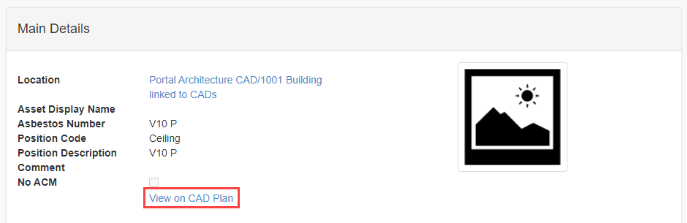
Clicking this link displays the CAD Viewer, which displays the CAD drawing and lists information relevant to the Asbestos record.
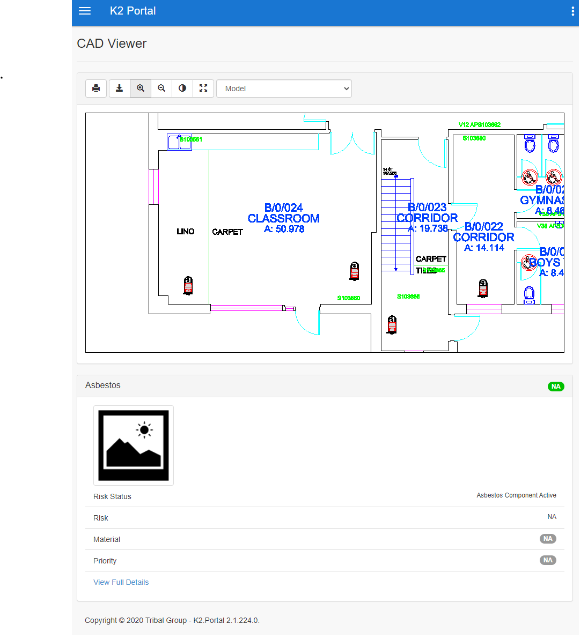
You can click and drag to navigate around the CAD drawing.
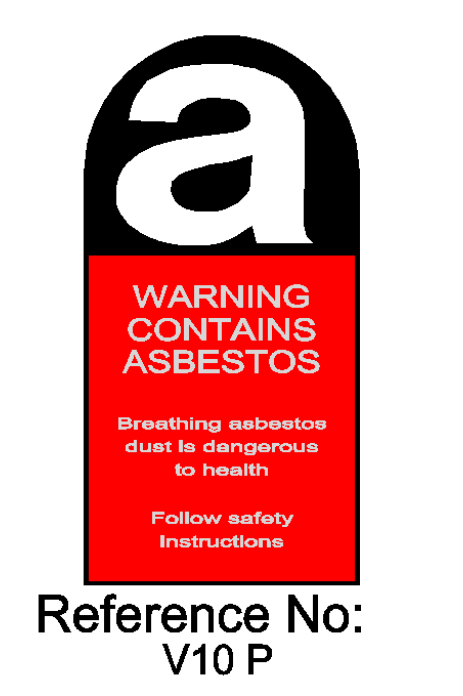
The following icon denotes asbestos locations.
The buttons on the CAD Viewer are described in the following table:
|
This button… |
Does this... |
|---|---|

|
Displays a window where you can choose the parameters to print the CAD drawing. |

|
Download the CAD drawing. |

|
Zooms in on the CAD drawing. |

|
Zooms out of the CAD drawing. |

|
Toggles whether the drawing is in dark or light mode. |
|
Fits the drawing to the drawing area. |
Managing Documents
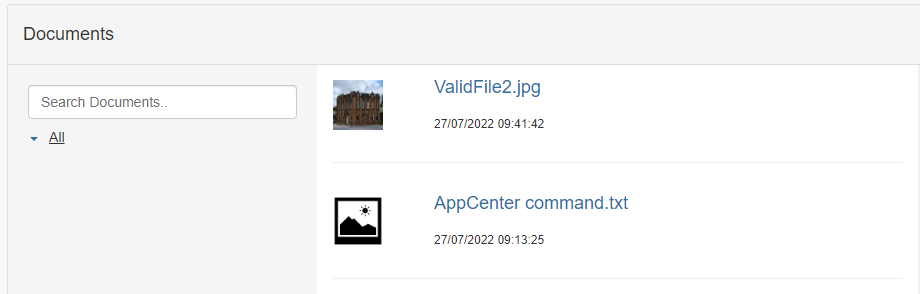
The Documents panel lists all documents attached to the record.
The document protection level set against their user record limits the user's view of documents. There are three levels – Public, Restricted and Confidential. If a user is set to 'Restricted', they cannot view confidential documents.
-
Use the Search Documents field to locate an existing document.

-
Click a document file name link to open the file.
