
After a valuation record has been saved, the Valuation Items List is automatically displayed and is based on the Valuation Type Reference Data (accessed by navigating to Estates > Valuation > Valuation) and the business unit selected in the valuation record.
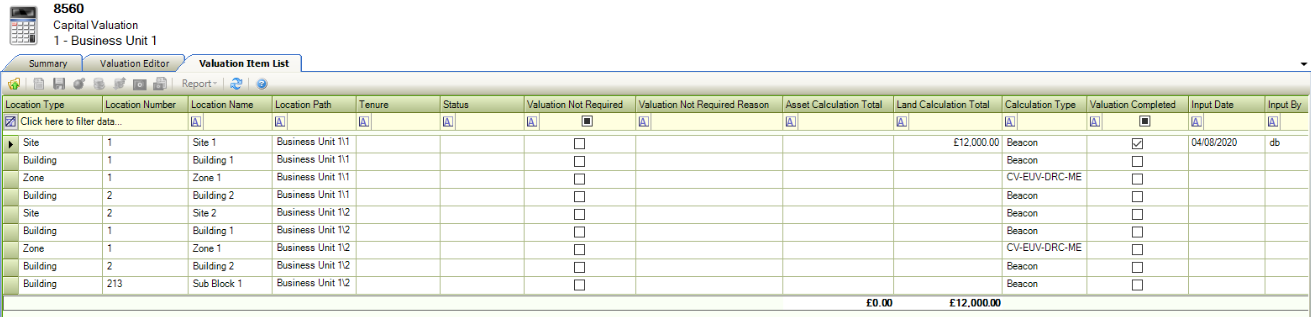
A valuation item can be created for a building, a sub-block, a site, a zone and a unit. Each valuation item can have a different calculation performed, depending on what is set in the reference data.
Select from the following:
Opening the Valuation Item List
The Valuation Item List is displayed automatically on saving a new valuation record.
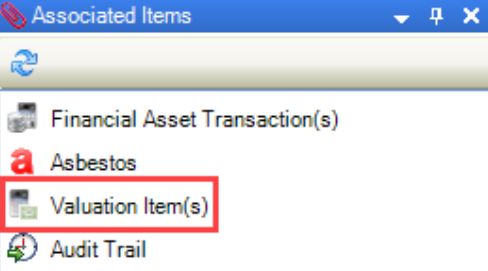
It can also be opened by clicking the Valuation Item(s) option in the Associated Items panel when a valuation record is open, has been saved, but has not been submitted for authorisation.
Editing the Valuation Calculation
Double-clicking a record in the Valuation Item List displays a window where you can edit the calculation information.
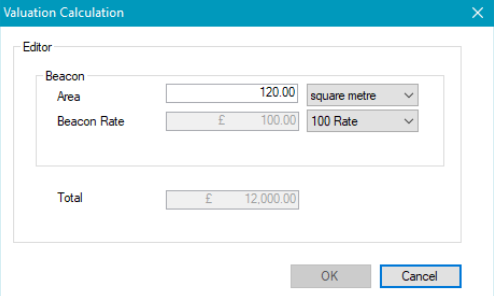
The window displayed is dependent on the type of valuation.
Specifiying Items that do not Require a Valuation
You can mark an item as not requiring valuation by double-clicking in the Valuation Not Required field.
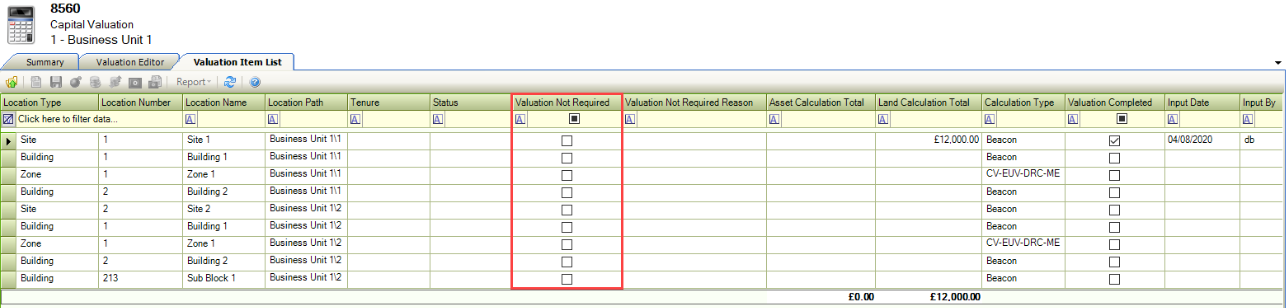
The Valuation Not Required Edit window is displayed, where you can select to omit the item from valuation, and also select a reason.
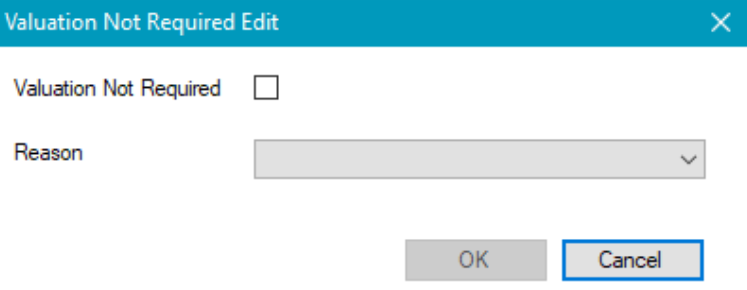
These can be defined in Valuation Not Required Reason Reference Data (accessed by navigating to Estates > Valuation > Valuation).
Linking to a Financial Asset Transaction
Valuations in conjunction with financial assets can be linked to update the relevant financial assets.
A financial asset with an opening balance must be linked to the relevant location before attempting to link the valuation and financial asset.
To link to a financial asset transaction:
-
Select the relevant record from the Valuation Item List, and then click the New Financial Asset Transaction button on the menu bar.
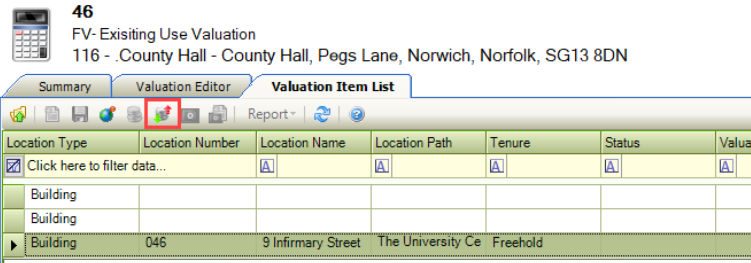
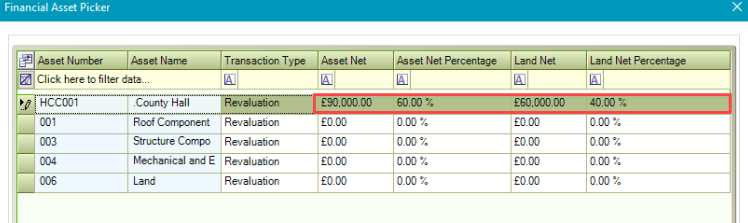
The Financial Asset Picker window is displayed.
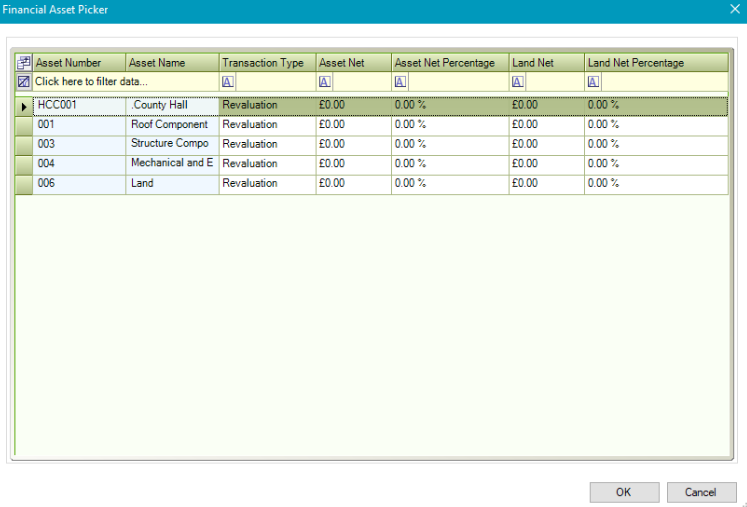
-
Select the relevant Transaction Type from the drop-down.
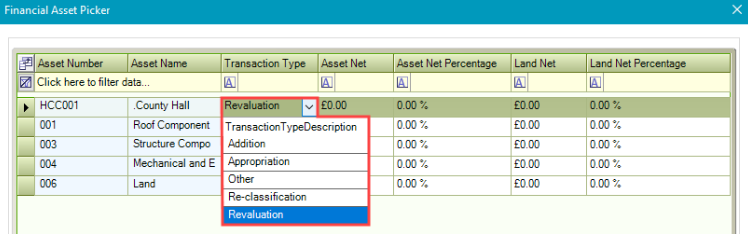
The total transaction value can then be split between the asset and land value.
-
Enter either a percentage in the Asset Net Percentage and Land Net Percentage Fields, or a value in the Asset Net and Land Net fields.
-
Click OK.