
The Restriction and Warning reference data window can be accessed by navigating to Functions > Core > Reference Data > Restriction and Warning.
You must have a role with the RestrictionAndWarningReferenceData permission to access this window.
Refer to Managing Reference Data for further information on using reference data screens.
The following reference data is available:
Restriction and Warning Category
Use this reference data to categorise the Restriction and Warning Requirements records.
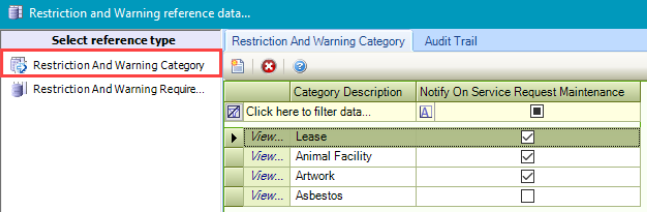
Adding or editing an entry allows you to select the applicable requirements.
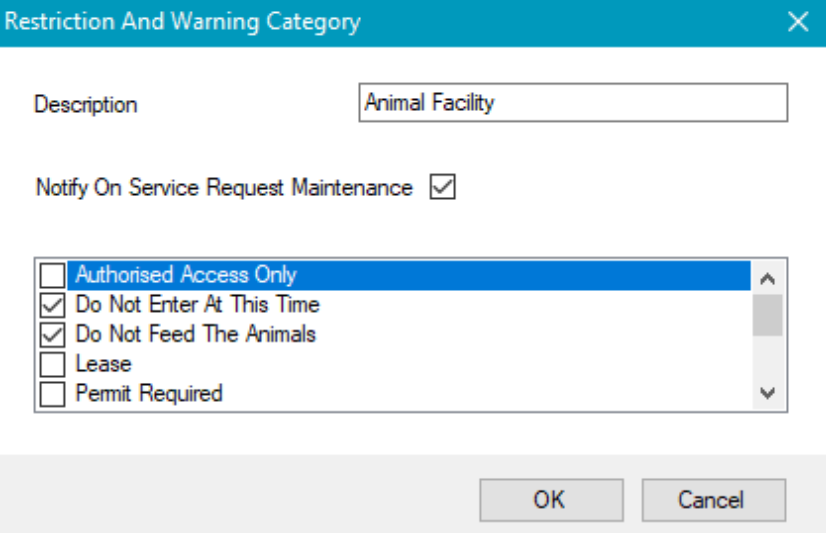
Selecting the Notify On Service Request Maintenance check box displays a warning when selecting a location for a service request maintenance record if the location has a restriction and warning recorded against it.
Restriction and Warning Requirement
Use this reference data to define the specific requirements for restrictions that people need to be aware of for particular locations (for example: Wear Suitable Clothing).
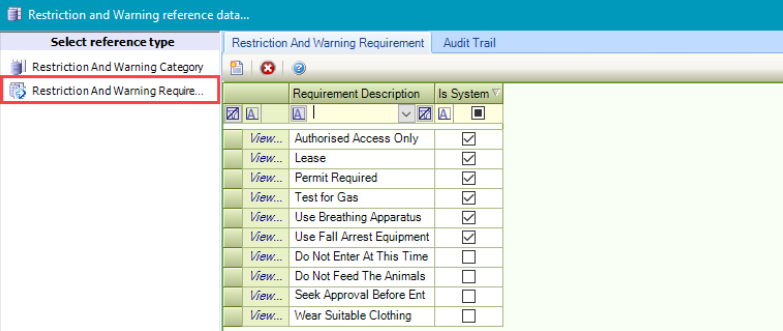
Records with the Is System check box selected cannot be edited.