
The Contract Management reference data window can be accessed by navigating to Maintenance > Contract Management > Contract Management, or by clicking Manage Reference Data in the Tasks panel of a Maintenance Contract Record.
You must have a role with the MaintenanceContractReferenceData permission to access this window.
Refer to Managing Reference Data for further information on using reference data screens.
The following reference data is available:
Contract Group
Use this reference data to group contracts of a similar type (for example: PPM, Custodial Services and so on), if the module is used for multiple business functions. You can select the user or group's role to be responsible for the contract.
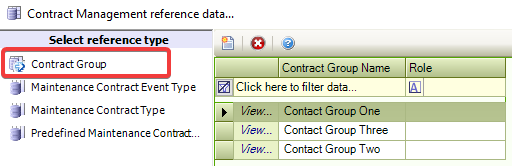
Refer to Adding or Editing a Maintenance Contract Role for further information.
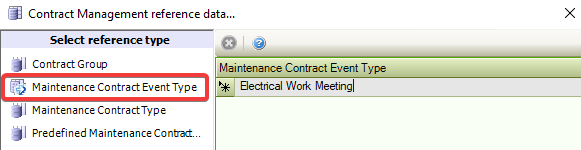
Maintenance Contract Event Type
Use this reference data to define types of maintenance events (for example: Contract Expiry or Contract Review), which are used on the calendar to identify them as a particular type of event.
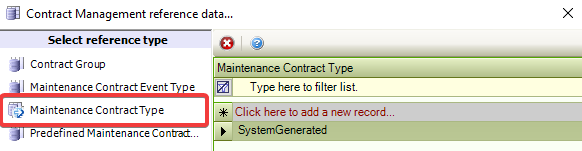
Maintenance Contact Type
Use this reference data to define types of contracts. For example: for a contract group of 'PPM', contract types may be 'Mechanical', 'Fire Compliance', 'Lift Maintenance', and 'Electrical'.
Predefined Maintenance Contract
Use this reference data to create calendar events for contracts automatically.
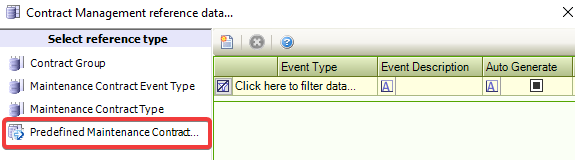
The fields on the Predefined Maintenance Contract Events reference data are described in the following table:
|
This field… |
Holds this information… |
|---|---|
|
Event Type |
The event type. These can be defined in Maintenance Contract Event Type Reference data. |
|
Event Description |
A description of the event. |
|
Auto Generate |
Whether to automatically generate an event. |
|
Notify |
Whether to notify a user before the event. |
|
Notification User |
The user is to be notified of the event. |
|
Comments |
Any comments regarding the event? |